Income tax return 2025/26: no penalties if you file by 14 December 2026. Who must file, what you need and how to estimate your tax
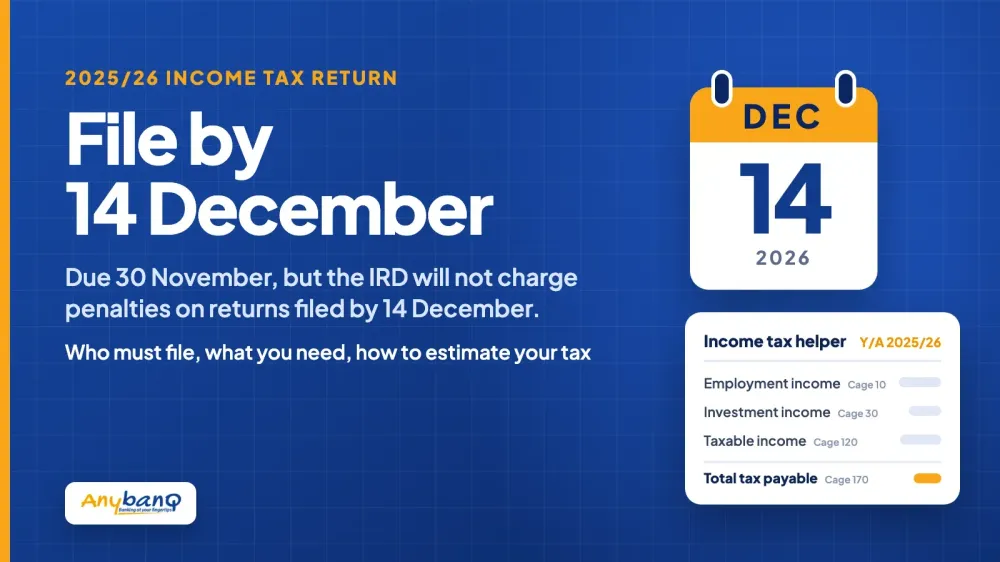
Individual income tax returns for the year of assessment 2025/2026 are due on 30 November 2026, but the Inland Revenue Department (IRD) said on 29 November that it will not charge penalties, issue default assessments or take legal proceedings against anyone who files on or before 14 December 2026. Returns are filed online through the IRD's e-Services (RAMIS). You can estimate your tax for free with AnybanQ Money's tax helper before you log in.
What the IRD said on 29 November
In its notice SEC/PN/IT/2026/07, the IRD repeats that everyone registered for income tax must file the 2025/2026 return on or before 30 November 2026. It says a large number of people filing for the first time has congested RAMIS during November, so some taxpayers may not be able to file in time. Taxpayers who file on or before 14 December 2026 will face no penalties, no default assessments and no legal proceedings under Chapters XVIIA and XVIII of the Inland Revenue Act. The due date itself has not changed. Read the IRD notice (PDF).
Who must file
- Everyone registered for income tax must file a return for 2025/2026, covering income from 1 April 2025 to 31 March 2026: employment, business, investment and other income (IRD notice of 29 November and the IRD guide).
- Individuals must file online. Senior citizens may also file on paper from 1 April 2025.
- From 1 April 2025 you do not need to file if your only income is employment income fully taxed through APIT, plus interest of no more than Rs. 5,000 (IRD notice SEC/PN/IT/2026/02, item 12).
The tax-free amount and the rates for 2025/26
- Personal relief: Rs. 1,800,000 a year, set against your assessable income.
- Taxable income above that: 6% on the first Rs. 1,000,000, then 18%, 24% and 30% on the next Rs. 500,000 each, and 36% on the rest.
- Rent income: a 25% relief. Solar panels at home: a relief of up to Rs. 600,000 a year, up to what you spent.
- Gains on investment assets: 10%. Foreign income received in foreign currency through a licensed bank: the normal rates, but no more than 15%.
- Bank interest has 10% AIT deducted: it counts as income and the AIT is a credit against your tax. Dividends from resident companies carry a 15% final WHT and need no more tax.
Source: the IRD's guide to the 2025/2026 return, Annexures 1, 4 and 7 and Schedule 8.
What to have ready
- Your TIN and your PIN for IRD e-Services. If you have forgotten the PIN, request a new one on the login page.
- Your APIT certificate from each employer, with your salary and the tax deducted.
- AIT/WHT certificates from your banks for interest, and from anyone who deducted WHT on rent or fees paid to you.
- Rent you received, dividends, and any other income for 1 April 2025 to 31 March 2026.
- Receipts for reliefs and donations: solar panel installation, approved charities, donations to the Government.
- Receipts for any quarterly instalments or final payment you made (payment codes 25261 to 25264 and 25260).
- The value of what you owned and owed on 31 March 2026 (bank balances, fixed deposits, property, vehicles, shares, loans) for the Statement of Assets and Liabilities.
How to file online
- Go to www.ird.gov.lk, open e-Services and Access to e-Services, choose Individual Taxpayer and Proceed to Login.
- Enter your TIN, PIN and the CAPTCHA.
- Under Return / Schedule Management choose Individual Income Tax (IIT) and the year of assessment 2025/2026, then Proceed. If the year is missing, you can issue the return to yourself with Return issuance. If IIT is not listed, you are not registered for it yet: use Taxpayer Registration.
- Tick every source of income you had. With only employment income, bank interest with AIT deducted or a home solar installation, RAMIS gives you the shorter Simplified Return; otherwise the Standard Return.
- Fill in the schedules, the return and the Statement of Assets and Liabilities, then submit. Supporting documents can be uploaded now or later.
Source: the IRD's e-filing guide for the individual return (published for 2024/2025, the same RAMIS screens) and its 2025/2026 guide.
Filing late
For returns filed by 14 December 2026, the IRD's 29 November notice says there will be no penalties, default assessments or legal proceedings. The notice does not say anything about returns filed after that date. The IRD's guide for 2025/2026 lists the general penalty for a late return: the greater of 5% of the tax owing plus 1% a month while the failure continues, or Rs. 50,000 plus Rs. 10,000 a month after 30 November 2026. Not filing at all can lead to a fine of up to Rs. 1 million, imprisonment of up to a year, or both.
The notice is about filing the return. Paying tax is separate: the final payment for 2025/2026 was due on 30 September 2026, and the guide says tax not paid by its due date carries a penalty of 20% of the unpaid amount and interest of 1.5% a month.
A worked example from the IRD's guide
Example 01 in the IRD's guide: Ms Yohani earns a salary of Rs. 240,000 a month and Rs. 140,000 of bank interest. Her employer deducted Rs. 74,400 APIT and her bank deducted Rs. 14,000 AIT.
- Assessable income: Rs. 2,880,000 salary + Rs. 140,000 interest = Rs. 3,020,000.
- Less the personal relief of Rs. 1,800,000: taxable income Rs. 1,220,000.
- Tax: 6% of Rs. 1,000,000 = Rs. 60,000, plus 18% of Rs. 220,000 = Rs. 39,600. Total Rs. 99,600.
- Less credits: APIT Rs. 74,400 and AIT Rs. 14,000, Rs. 88,400 in all.
- Balance to pay: Rs. 11,200.
AnybanQ Money's tax helper gives the same figures for this example: the IRD's worked examples are part of its tests.
Estimate your tax with AnybanQ Money
The tax helper works out your 2025/26 return the way the IRD's return does, with its cage numbers, for free and without signing up. Your figures stay in your own browser: nothing about your money is sent to AnybanQ. To download the IRD return worksheet as PDF and Excel, with the Statement of Assets and Liabilities, get a Reports pass: Rs. 600 for one month, paid with AnybanQ Pay. AnybanQ does not file your return. You copy the figures into the IRD's online return yourself, or hand the worksheet to your accountant.
Want someone to help with your personal return? Leave your name and phone number in the tax help form at the end of the tax helper page. Need help with corporate tax? Email us at [email protected].
Questions
Has the deadline been extended to 14 December?
The due date is still 30 November 2026. The IRD says it will not charge penalties, issue default assessments or take legal proceedings for 2025/2026 returns filed on or before 14 December 2026.
My salary is taxed through APIT. Do I need to file?
Not if your only income was that employment income, fully taxed through APIT, plus interest of no more than Rs. 5,000 (from 1 April 2025, IRD notice SEC/PN/IT/2026/02). If you had other income, or more interest, you file.
How much income is tax-free in 2025/26?
Rs. 1,800,000 for the year, the personal relief. Tax starts at 6% on the first Rs. 1,000,000 above it.
Can I upload the AnybanQ Money worksheet to RAMIS?
No. Individuals file by entering their figures in the IRD's online return. The worksheet is laid out like the return, with its cage and schedule numbers, so you can copy from it.
Is this tax advice?
No. This article explains the IRD's published rules and AnybanQ Money gives an estimate; the IRD's system makes the final computation. Check your figures against your certificates and ask a tax professional if your affairs are complicated.
Sources
- IRD notice SEC/PN/IT/2026/07, Furnishing Returns of Income for the Year of Assessment 2025/2026 (29 November 2026)
- IRD notice: Filing of Return of Income Y/A 2025/2026, deadline 30 November 2026 (18 November 2026)
- IRD guide to the Return of Income, Schedules and Statement of Assets and Liabilities, Y/A 2025/2026 (Asmt_IIT_004_E)
- IRD guidelines for e-filing the individual income tax return (Y/A 2024/2025)
- IRD news and notices, including SEC/PN/IT/2026/02